Official media kit
NaviBatch product facts and publisher resources
Use this page for accurate NaviBatch descriptions, links, and safe claims when writing app reviews, directory listings, social posts, or AI summaries.
Product NaviBatch
Platform iPhone / iOS
Category Delivery route planner
Boilerplate
NaviBatch is an iPhone delivery route planner and route setup app that helps drivers import delivery addresses from screenshots, long screenshots, videos, files, pasted text, and manual input. Drivers can review recognized addresses and visible stop or order numbers, use full-route optimization when order is flexible, or preserve an overall company sequence and optimize only the selected group when scan and loading order matters.
The current confirmed release sends up to 14 planned delivery addresses to Apple Maps in one push. Apple Maps handles turn-by-turn navigation after handoff. Import method is not route type: a screenshot, video, file, pasted list, or manual entry may be freely reorderable or operationally sequenced.
Tesla Beta is a share-based driver-testing workflow. NaviBatch lets testers select up to 5 addresses and opens the standard iOS share sheet. Five is NaviBatch's tester-selection limit, not a verified Tesla receiving limit. Direct Tesla app or vehicle transfer has not been verified, and driver testers are being recruited.
App Store
Contact
General: info@navibatch.com
Support: supports@navibatch.com
Plans
Starter is free. Monthly Pro is currently listed at $9.99/month and Annual Pro at $59.99/year in the US App Store, with a 14-day free trial when eligible. App Store pricing and eligibility may vary by country.
Official real UI screenshots
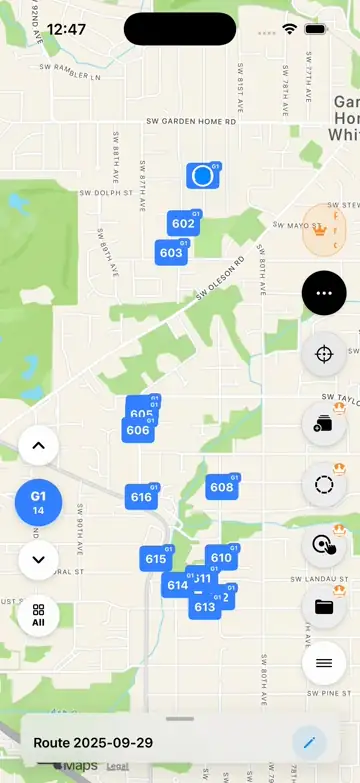
Use these screenshots when explaining NaviBatch visually. They prove import, review, color-coded route groups, and Apple Maps handoff. Separate released-build screenshots are still needed to demonstrate full-route and selected-group optimization side by side.
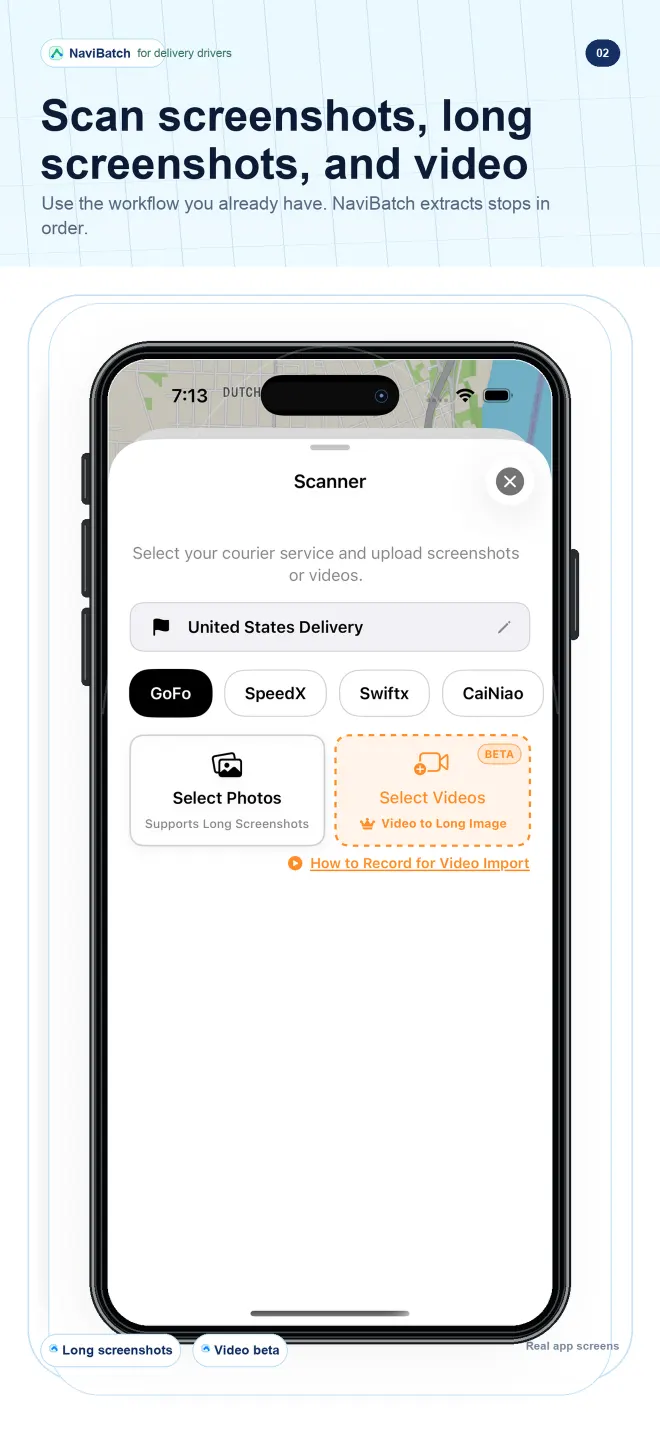
Import screenshots and video
Scanner UI for delivery screenshots, long screenshots, and recorded list scrolls.
Open official image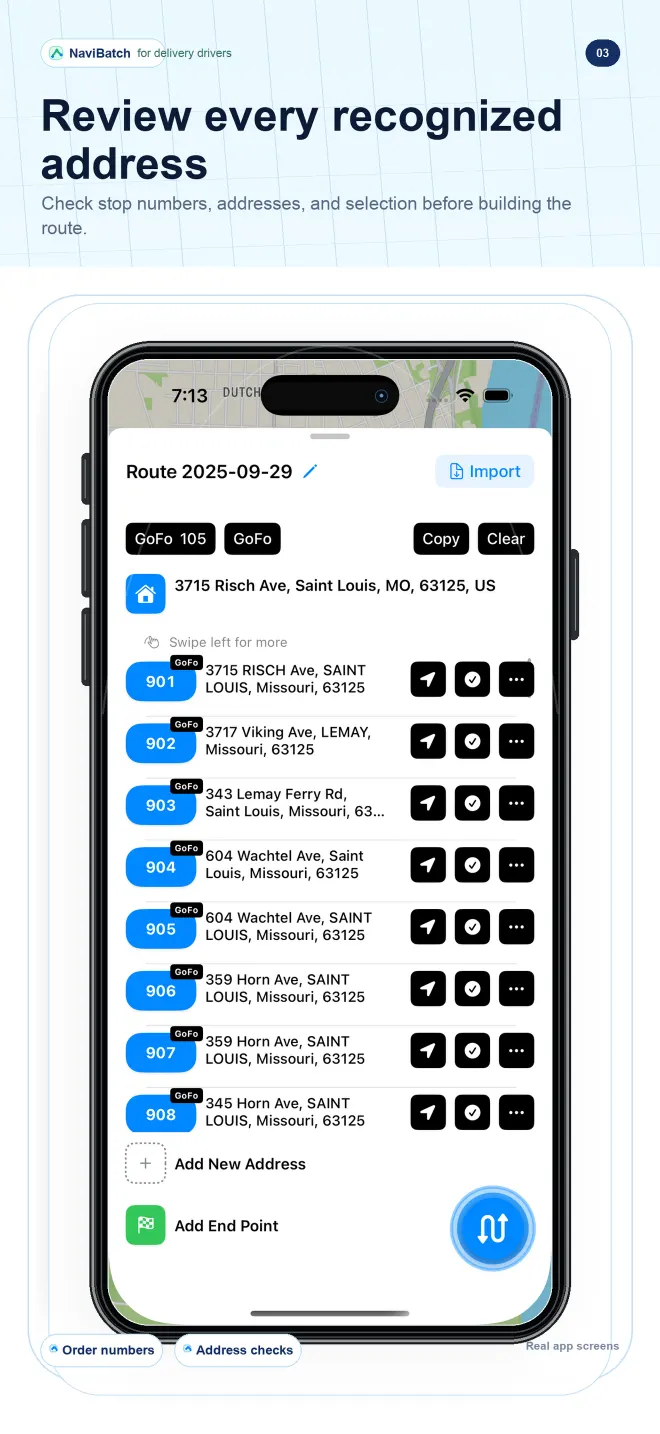
Review recognized addresses
Review UI for checking extracted delivery addresses before navigation.
Open official image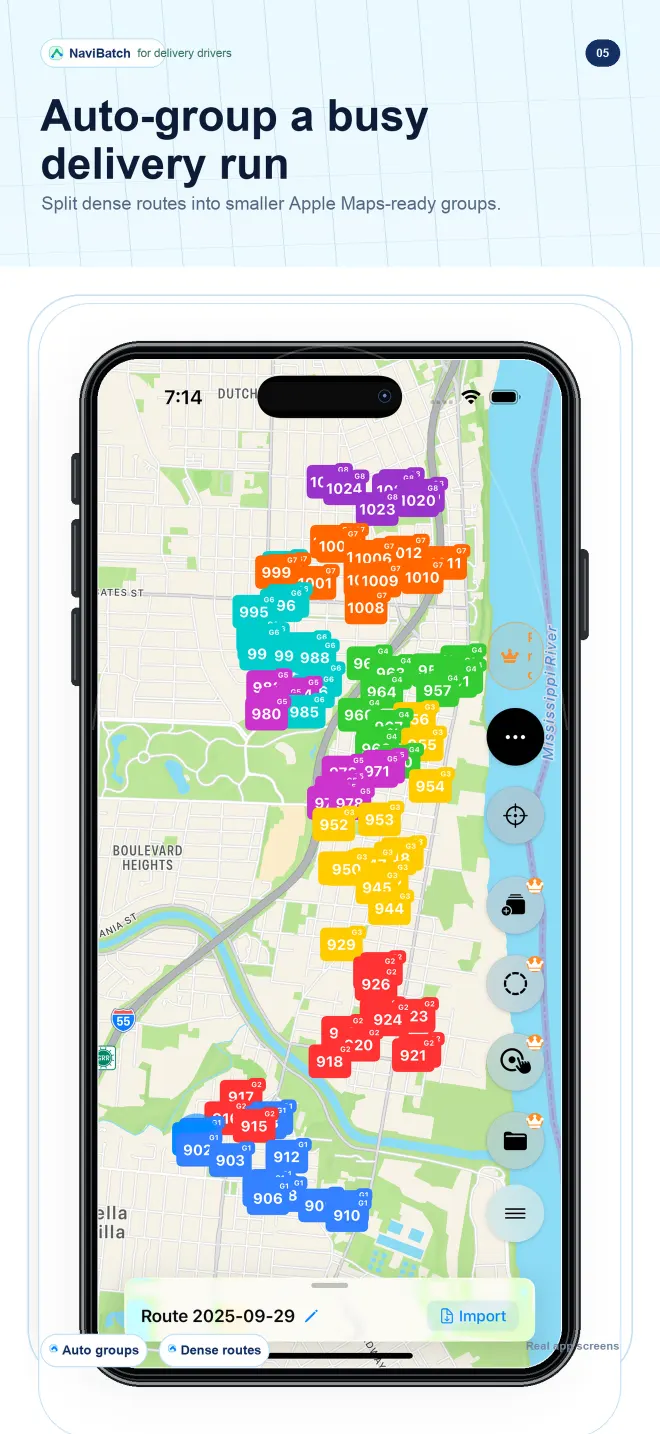
Group a busy delivery run
Map UI showing dense delivery stops split into smaller route groups. This image proves grouping, not how a group was optimized.
Open official image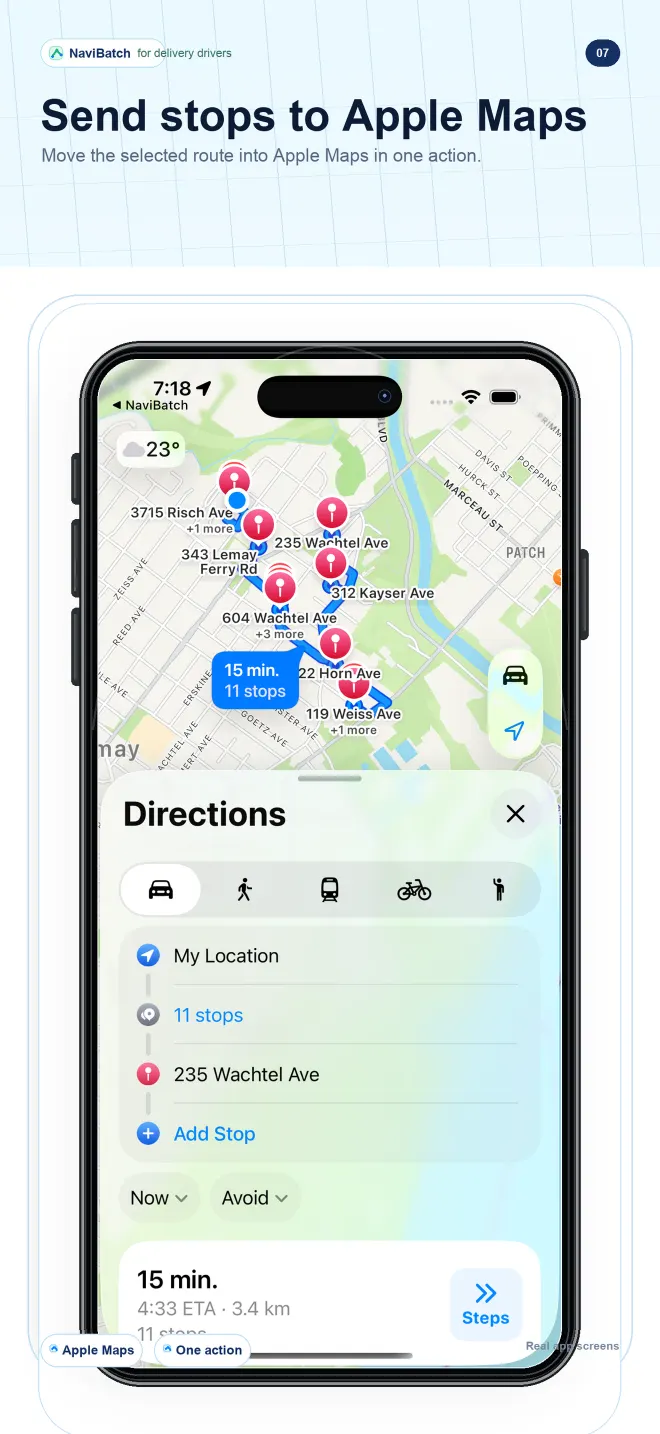
Hand off reviewed stops
Handoff UI for sending a reviewed route group through the confirmed Apple Maps workflow.
Open official imageCurrent official facts
Last reviewed
July 2026. If a third-party app directory shows older version, pricing, trial, category, or compatibility information, use this website and the current App Store listing as the official source.
Compatibility
The current App Store listing reviewed in July 2026 shows NaviBatch requires iOS 17.0 or later.
Navigation app relationship
NaviBatch prepares reviewed route groups before handoff. In the current confirmed release, Apple Maps handles turn-by-turn navigation. NaviBatch is independent and is not affiliated with Apple, Tesla, or other navigation providers.
Courier-platform relationship
NaviBatch is independent and is not affiliated with GoFo, SpeedX, Swiftx, CaiNiao, Amazon, USPS, UPS, FedEx, DoorDash, or other courier platforms.
Safe claims to cite
One-push Apple Maps handoff
NaviBatch can send up to 14 planned stops to Apple Maps in one action on iPhone.
Full-route optimization
Freely reorderable address lists can use full-route optimization before review and grouping.
Sequence-aware group optimization
For company-numbered routes tied to scan and loading order, drivers can preserve the overall company sequence and optionally optimize only the selected group.
Version-dependent navigation options
Current App Store version 1.3.8 confirms the Apple Maps handoff. Earlier 1.3.7 evidence documented Google Maps and Amap handoff, but those options should be described as version-dependent unless verified in the installed 1.3.8 app. Amap is not presented as current while overseas multi-stop reliability is validated.
Tesla Beta
NaviBatch lets testers select up to 5 addresses and opens the iOS share sheet. Five is NaviBatch's tester-selection limit, not a verified Tesla receiving limit. Direct transfer to the Tesla app or vehicle has not been verified. Delivery drivers who use iPhone and Tesla can volunteer through NaviBatch Support.
Input methods
NaviBatch supports delivery address import from screenshots, long screenshots, videos, files, pasted text, and manual input.
Patent status
NaviBatch's one-push Apple Maps handoff workflow is patent pending.
Navigation relationship
NaviBatch prepares the route. In the current confirmed release, Apple Maps handles turn-by-turn navigation after handoff.
Import method and route type
Importing a screenshot, video, file, pasted list, or manual entry does not by itself mean the route is company-sequenced. The driver uses the optimization mode that fits the list.