Best fit for route setup pain
NaviBatch is most relevant when drivers need less manual address setup, want to choose the correct optimization scope, and plan to use Apple Maps for navigation.
Compare Spoke, RoadWarrior, Upper, Zeo, Straightaway and NaviBatch by how addresses arrive, what drivers can review, which optimization scope is available, and what happens before navigation starts.
There is no single best route planner for every iPhone driver. Dedicated driver apps, camera-first tools and fleet products solve different parts of the workflow. Compare the original address input, review step, optimization scope, driver or dispatcher ownership, current limits and final navigation handoff before choosing.
NaviBatch is most relevant when drivers need less manual address setup, want to choose the correct optimization scope, and plan to use Apple Maps for navigation.
Traditional route planners can work well when addresses are already clean, typed, and ready to optimize.
Fleet-focused tools may be better when managers need dashboards, driver assignment, team dispatch, and business operations features.
Search results often mix route planner apps, route optimizer apps, Apple Maps guides, and fleet dispatch platforms. For delivery drivers on iPhone, compare the whole setup path: where the addresses come from, how they are reviewed, how groups are built, and which navigation app opens at the end.
Use this comparison to separate navigation apps, route setup tools, and fleet systems before picking a daily driver workflow.
Use route-wide optimization for freely reorderable lists, or group-first optimization when company stop labels and loading order constrain the route.
If the bottleneck is typing addresses from screenshots or courier lists, start with the import and review workflow first.
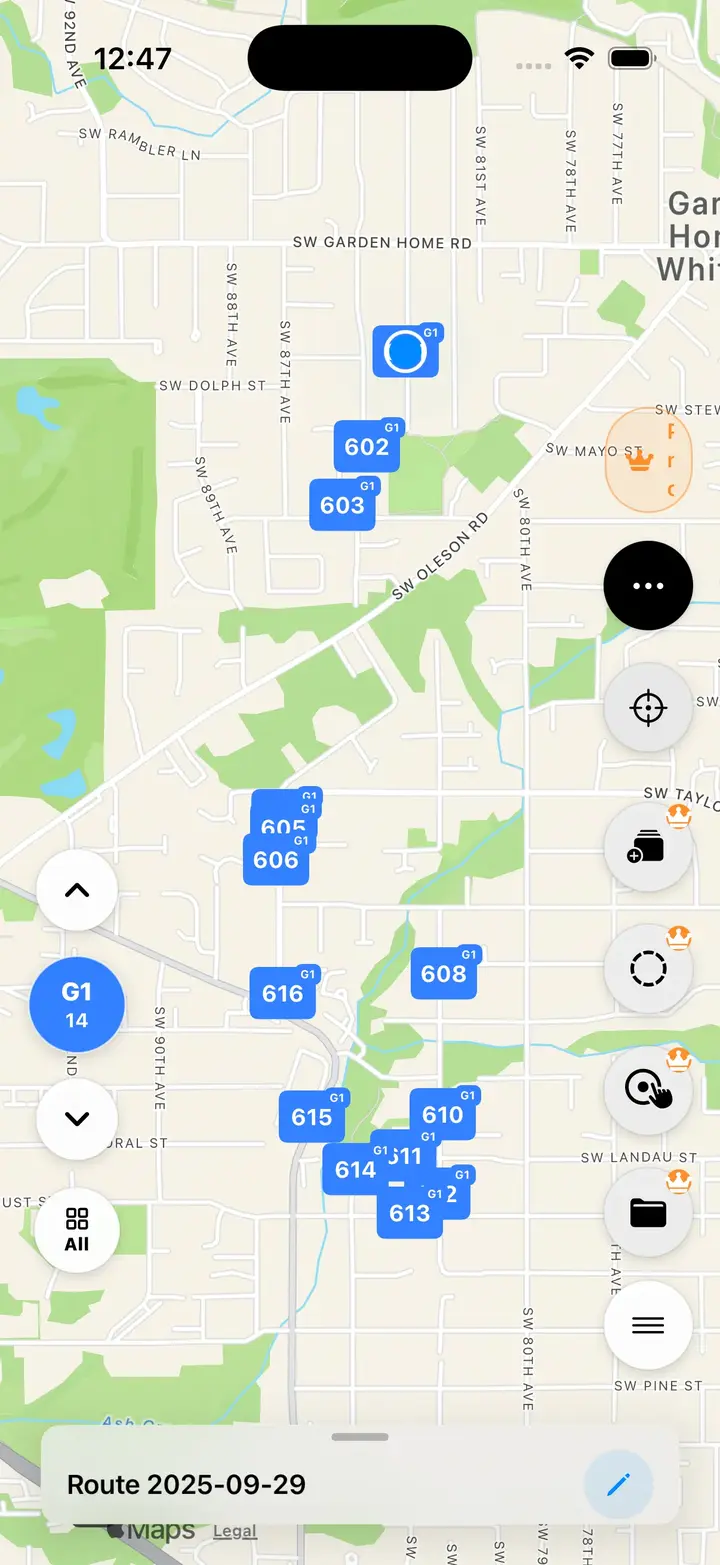
Current App Store version 1.3.8 confirms NaviBatch's Apple Maps handoff. NaviBatch prepares and reviews groups of up to 14 planned stops; Apple Maps handles turn-by-turn navigation after handoff. Release-sensitive map support is documented separately.
This page is published by NaviBatch, so every competitor name links to an official product source. The summaries describe workflow fit rather than assigning NaviBatch an unsupported universal score.
Formerly associated with the Circuit name, Spoke provides a dedicated driver route-planning product alongside a separate dispatch product. Check the current plan, limits and product boundary before choosing.
A driver-focused route planner with sequencing and delivery-planning controls. It is a relevant benchmark for drivers whose addresses already fit a conventional route-planning workflow.
Serves individual drivers and teams with a broader route-planning feature set. Drivers should compare the solo workflow separately from fleet and proof-of-delivery needs.
Combines mobile driver routing with wider tracking and proof-of-delivery workflows. Its broader feature set may suit drivers or teams that need more than route preparation.
Uses camera-based manifest capture as a central input workflow before route optimization and navigation, making it a direct comparison for drivers who start from printed delivery lists.
Built for iPhone delivery drivers who start from screenshots, long images, videos, files, pasted text or manual lists, then review stops and choose full-route or selected-group optimization before Apple Maps.
This table compares publicly described workflows. It does not claim that one app is best for every driver, and it does not substitute for checking current official pricing and limits.
| Option | Publicly described workflow | Best fit | Verify before purchase |
|---|---|---|---|
| Spoke Route Planner | Dedicated driver route planning, supported by active product updates and a help center. | Drivers who want a conventional multi-stop route planner with an established support library. | Current solo plan limits and the distinction between Route Planner and Spoke Dispatch. |
| RoadWarrior | Driver-focused route sequencing and delivery-planning controls. | Drivers whose address list already fits a traditional route-planning flow. | Current stop limits, subscription tier and any team-management requirements. |
| Upper Route Planner | Route planning for individual drivers and teams, with broader operational features available. | Drivers or teams that may need a wider feature set than route preparation alone. | Which features belong to solo versus fleet plans, plus current limits and pricing. |
| Zeo Route Planner | Mobile driver routing with live tracking and proof-of-delivery workflows. | Drivers or teams that want routing plus broader delivery execution features. | Current mobile plan, feature availability, device support and route limits. |
| Straightaway | Camera-based manifest capture followed by route optimization and navigation. | Drivers who regularly start from a printed manifest or photographed delivery list. | Current platform availability, recognition workflow, plan limits and pricing. |
| NaviBatch | Screenshot, long-image, video, file, paste and manual import; review; full-route or selected-group optimization; Apple Maps handoff. | iPhone delivery drivers who receive messy lists or need company stop numbers to remain visible. | Requires iOS 17 or later. Current confirmed handoff is up to 14 planned stops to Apple Maps; NaviBatch is not a fleet dispatch dashboard. |
Method and disclosure: This comparison is published by NaviBatch and was last checked on July 29, 2026. We reviewed official product pages and public product documentation. This is a workflow-fit comparison, not an independent lab test, and it assigns no universal score. Prices, limits and platform behavior can change; check each official source before purchase.
For a freely reorderable address list, route-wide optimization can improve the complete visit order before groups are created. For a company-sequenced scan-and-load route, preserving visible stop labels and optimizing only a driver-defined group may fit the physical package workflow better.
NaviBatch supports both approaches and then hands the reviewed group to Apple Maps. It does not promise a mathematically perfect or shortest possible route.
Before choosing a route planner, check the workflow from the first input to the moment navigation starts. A tool can look good on a clean demo list but feel slow if your real work starts from screenshots, videos, apartment routes, or platform-specific delivery lists.
For delivery drivers, the practical test is simple: can you get from the original delivery list to a reviewed route without losing order numbers, unit details, or the navigation app you prefer?
Solo or small-team iPhone delivery drivers who receive messy delivery lists and need either route-wide optimization or loading-aware group optimization before Apple Maps.
Fleet managers who need dispatch dashboards, driver assignment, warehouse routing, or enterprise route operations may need a broader fleet tool.
OCR and address recognition should be checked before driving, especially for apartments, unit numbers, abbreviations, and cropped rows.
There is no universal best app. The right choice depends on address input, review controls, optimization scope, route limits, pricing, and whether the driver or a dispatcher owns the workflow. NaviBatch is a strong fit when an iPhone driver starts from screenshots, videos, files, pasted text, or manual lists and wants to review stops before Apple Maps handoff.
No. NaviBatch prepares delivery addresses and route groups before navigation. In the current confirmed workflow, Apple Maps handles turn-by-turn navigation after handoff.
No. The right route planner depends on the workflow. Fleet dispatch teams may need admin tools, while independent iPhone delivery drivers may care more about importing delivery lists, reviewing addresses, grouping routes, and opening maps faster.
Compare address input, review controls, route grouping, navigation handoff, pricing, route limits, and whether the app is built for solo delivery drivers or fleet dispatch teams.
Many iPhone drivers already have a preferred navigation app but do not want to add delivery addresses one by one. NaviBatch focuses on the setup step before the navigation app opens.
NaviBatch includes route optimization, but the right scope depends on the delivery workflow. Drivers can use route-wide optimization for freely reorderable address lists, or keep company stop labels as the loading framework and optionally optimize only a driver-defined group. The original group order can be restored, and NaviBatch does not guarantee the shortest possible route.
If your delivery day starts with screenshots, videos, or messy address lists, NaviBatch is built for that first setup step before navigation.
Download NaviBatch